
Best Place to Buy PC Parts: 2026 Guide
Table of Contents
- What to Look for Before You Buy PC Parts
- Online vs. In-Store: Where to Buy PC Parts
- How to Build a Custom PC: Components You Need
- Buying Used PC Parts Safely: What You Must Check
- PC Component Warranty and Support: Know Your Rights
- Shipping, Delivery and After-Sales Service
- Sustainability and E-Waste: Responsible Disposal
- Conclusion
Last Updated: August 24, 2026
Finding the best place to buy pc parts is harder than it should be. The market has expanded with online storefronts, in-store showrooms, and second-hand marketplaces competing for your budget. This guide gives you a practical framework for making the right call, whether you're assembling a budget workstation or a high-performance gaming rig.
Quick Picks:
- Best for one-stop shopping: MicroWorldOnline, comprehensive selection of IT components, trusted brands, exclusive deals
- Best for component research: Cross-reference specs via manufacturer sites before committing
- Best for budget builds: Used component market, with the safety checks covered below
What to Look for Before You Buy PC Parts
The biggest mistake first-time builders make is chasing the lowest price without checking the retailer behind it. A R200 saving on a graphics processing unit means nothing if the seller disappears when you need a warranty claim processed.
Retailer Reliability and Product Authenticity
Retailer reliability is the single most important factor when you buy pc parts online. Counterfeit components exist in the local market, particularly for central processing units, RAM sticks, and solid state drives sold through unverified third-party listings. Genuine products carry manufacturer serial numbers that can be verified directly on the brand's website.
Check these signals before placing an order:
- Business registration: A legitimate retailer will have verifiable company details and a physical address.
- Customer feedback: Look for patterns in reviews. Repeated complaints about shipping damage or unresponsive support are red flags.
- Returns policy: Under the Consumer Protection Act 68 of 2008, South African consumers have the right to return defective goods. A retailer that makes this process deliberately difficult is not worth your business.
- Brand authorisation: Authorised resellers can be confirmed through the brand manufacturer's website. This matters most for CPUs, GPUs, and power supply units.
MicroWorldOnline stocks trusted brands including Philips and OCPC, with a curated inventory that prioritises product authenticity over volume discounting.
Pricing, Price Matching and Budget Optimisation
Price comparison across retailers requires methodology. A component listed at a lower price may carry a shorter warranty period, no local after-sales service, or a longer shipping lead time that delays your build.
Effective budget optimisation means:
- Comparing total cost, including shipping, import duties, and the value of local warranty coverage
- Checking whether a retailer offers price matching and under what conditions
- Timing purchases around major sale periods, when component procurement costs drop
- Prioritising bottleneck components (CPU and GPU) in your budget before allocating to storage and peripherals
| Factor | Why It Matters |
|---|---|
| Warranty coverage | Determines your recourse if hardware fails |
| Shipping lead times | Affects how quickly your build is complete |
| Price matching policy | Can reduce cost without switching retailers |
| After-sales service | Critical for complex component failures |
| Product authenticity | Counterfeit parts void manufacturer warranties |
Online vs. In-Store: Where to Buy PC Parts
Most builders default to online shopping for good reason. Online storefronts offer broader selection, easier price comparison, and convenient delivery. For a full custom build involving eight or more components, sourcing everything from a single online retailer reduces shipping complexity and often qualifies for consolidated delivery discounts.
In-store showrooms serve a specific purpose. Seeing a chassis in person before committing to a form factor, or checking that a cooler's dimensions match your expectations, prevents costly returns. Some builders also prefer immediate availability when a build deadline is tight.
For most custom PC builds, a reliable online storefront with strong after-sales service wins on convenience, selection, and price transparency. The exception is when you need to physically inspect a high-value item or test a used component before paying.
According to South African e-commerce industry research, online retail continues to grow as consumers become more comfortable with digital purchases, making retailer trust signals more important than ever.
How to Build a Custom PC: Components You Need
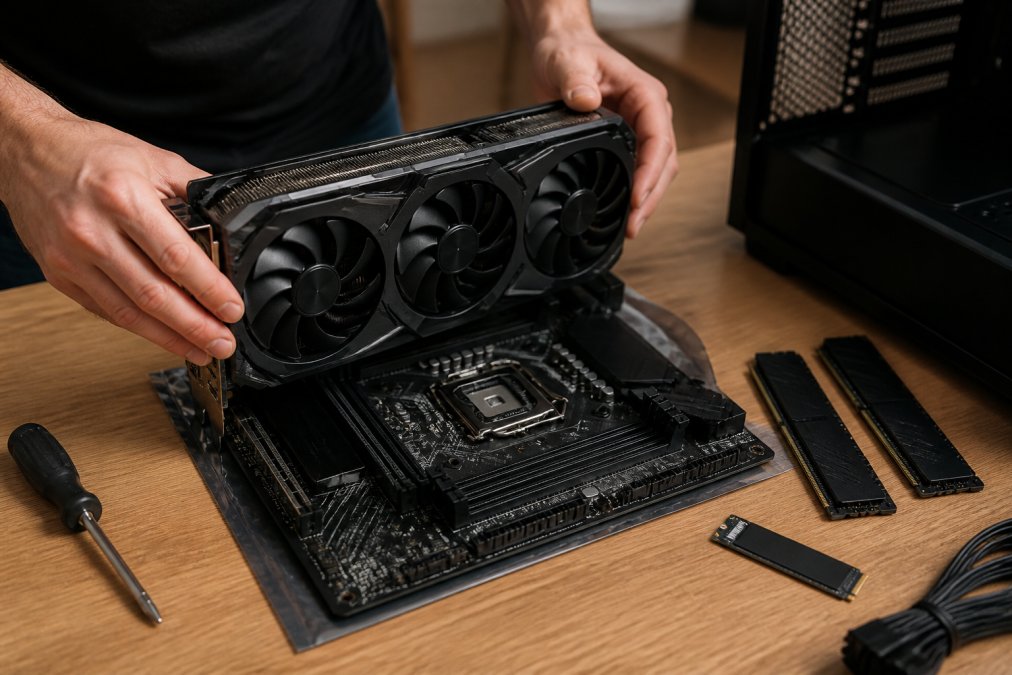
Knowing how to build a custom PC starts with understanding which components are non-negotiable and which are upgradeable later. System integration requires every part to communicate correctly, making hardware compatibility the foundation of the entire build.
Component Compatibility Checklist
Hardware compatibility failures are the most common reason first builds fail to POST. The central processing unit must match the motherboard's socket type and chipset. RAM must match the motherboard's supported speed and form factor. The power supply unit must deliver sufficient wattage for the combined system draw, with headroom for overclocking.
Use this checklist before finalising your component procurement:
- CPU socket matches motherboard socket (e.g., AM5 for Ryzen 7000 series, LGA1851 for Intel Core Ultra 200)
- RAM type matches motherboard specification (DDR4 vs DDR5)
- GPU length fits within the chassis clearance
- CPU cooler height clears the chassis side panel
- Power supply unit wattage covers peak system draw plus 20% headroom
- Storage interface matches motherboard slots (M.2 NVMe vs SATA)
- Case form factor (ATX, Micro-ATX, Mini-ITX) matches motherboard form factor
Tools like PCPartPicker (available at PCPartPicker compatibility checker) flag compatibility conflicts automatically, which is worth using before you buy pc parts to avoid expensive returns.
Gaming PC Hardware Requirements
Gaming PC hardware requirements vary significantly by target resolution and frame rate. A build targeting 1080p at 60fps has fundamentally different component priorities than one targeting 4K at 144Hz.
The GPU is the primary performance driver for gaming. GPU selection determines the majority of gaming performance, with the CPU becoming a bottleneck only at very high frame rates or in CPU-heavy titles. Thermal management matters: a GPU running at sustained high temperatures will throttle performance and shorten its lifespan.
General hardware specifications by gaming tier:
- Entry-level (1080p, 60fps): Mid-range GPU, 16GB RAM, NVMe solid state drive, 500W PSU
- Mid-range (1440p, 144fps): Upper-mid GPU, 32GB RAM, fast NVMe SSD, 650-750W PSU
- High-end (4K, 144fps): Flagship GPU, 32GB RAM, high-speed NVMe SSD, 850W+ PSU
Upgrade path planning at the build stage saves money when you upgrade in two years.
Buying Used PC Parts Safely: What You Must Check
The used component market is worth exploring, particularly for solid state drives, RAM, and previous-generation GPUs where new pricing carries a significant premium. The risk is manageable with the right checks.
A common mistake is buying used parts without any means of testing them before committing. For high-value items like a GPU or CPU, insist on testing in a working system before payment, or use a platform that offers buyer protection.
What to check on used components:
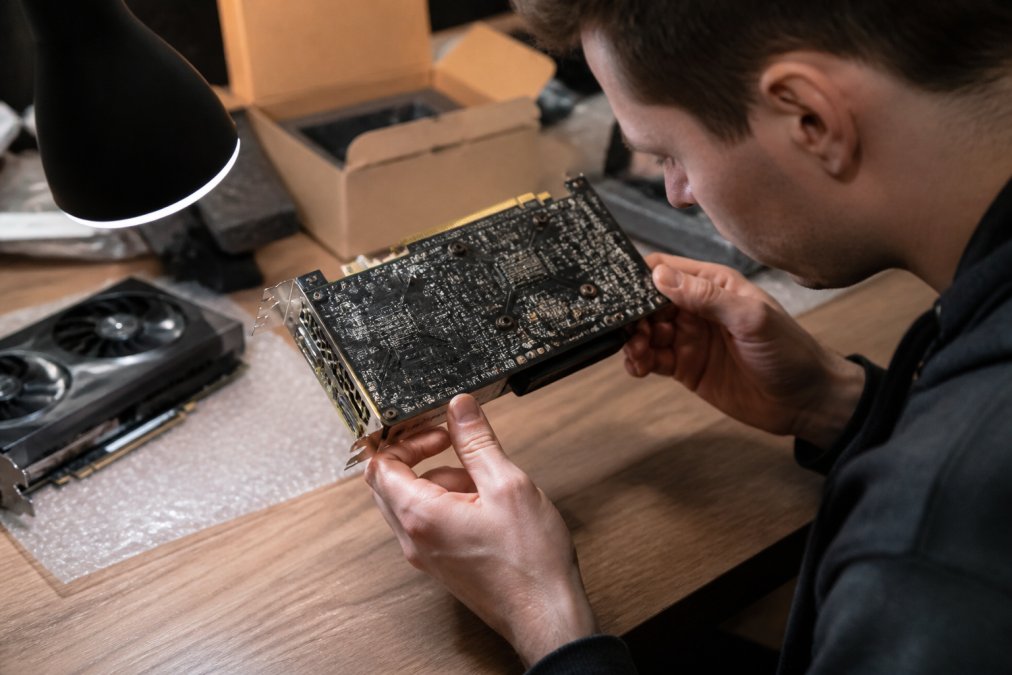
GPU: Run a benchmark tool to confirm performance matches specifications. Check the PCB visually for burn marks, damaged capacitors, or bent pins. Fan bearings should spin freely and quietly.
CPU: Check for bent pins (AMD AM4/AM5) or damaged contact pads (Intel LGA). Run a stress test to confirm stable operation under load.
RAM: Run MemTest86 for at least one full pass to surface most faults.
SSD: Use manufacturer diagnostic tools to check health status and total bytes written. An SSD with high write endurance remaining is as good as new for most workloads.
PSU: This is the component to be most cautious about buying used. A failing power supply can damage every other component in the system. Unless the price is exceptional and the unit is from a reputable brand with verifiable age, new is safer.
PC Component Warranty and Support: Know Your Rights
Understanding PC component warranty and support before you buy pc parts prevents expensive surprises.
Under the Consumer Protection Act 68 of 2008, all goods sold in South Africa carry an implied warranty of quality. Manufacturers typically offer hardware warranties ranging from one year (common for budget components) to three to five years (standard for premium SSDs and RAM). These warranties run from the date of purchase, not the date of installation.
Many online retailers act as intermediaries, meaning you return faulty components to them and they manage the manufacturer claim on your behalf. This is preferable because it gives you a single point of contact. Retailers who direct you immediately to the manufacturer for all claims are offloading their responsibility.
Key warranty considerations:
- Warranty period: Confirm the exact duration before purchasing, particularly for refurbished or open-box stock
- Claim process: Understand whether you return to the retailer or the manufacturer directly
- DOA (Dead on Arrival) policy: Most reputable retailers replace DOA components within a set period without requiring a full warranty claim
- Warranty voiding: Overclocking voids the warranty on most components; check the manufacturer's terms
As outlined in Consumer Protection Act guidance, South African consumers have enforceable rights to goods that are safe, of good quality, and fit for purpose.
Shipping, Delivery and After-Sales Service
Shipping lead times are a practical concern for custom builds because you cannot assemble a system until every component arrives. Ordering from a single retailer with consolidated shipping reduces the risk of one delayed parcel holding up the entire build.
What to verify before ordering:
- Estimated delivery window: Is the component in stock, or is it a pre-order with an uncertain lead time?
- Packaging standards: Components should ship in anti-static packaging with adequate padding.
- Damage policy: Confirm the retailer's process for items damaged in transit. Photographing the packaging before opening is good practice.
- Tracking: Real-time tracking is standard from reputable retailers. Absence of tracking information is a warning sign.
After-sales service quality separates good retailers from great ones. A retailer that responds quickly to support queries, processes returns efficiently, and communicates clearly during warranty claims is worth a modest price premium.
Sustainability and E-Waste: Responsible Disposal
The used vs. new component decision has an environmental dimension. PC enthusiast culture generates significant electronic waste as builders upgrade and discard older hardware.
The South African government's e-waste framework falls under the National Environmental Management: Waste Act 59 of 2008. The Extended Producer Responsibility regulations, which came into effect in 2021, place obligations on producers and importers to manage end-of-life electronics responsibly. You can engage with this system by returning old components to registered e-waste collection points rather than disposing of them in general waste.
Practical options for old components:
- Sell or donate: A working GPU from three generations ago is still useful in a budget build. Community forums and local classified platforms connect sellers with builders on tight budgets.
- Registered e-waste recyclers: The e-Waste Association of South Africa maintains a directory of certified recyclers who process components responsibly.
- Retailer take-back programmes: Some retailers accept old components for responsible disposal. Confirm availability before assuming this service exists.
Buying used components is the most sustainable approach to PC building. Extending the useful life of a GPU or SSD by two or three years is more impactful than any recycling programme.
Conclusion
Building a custom PC is one of the most rewarding technical projects a pc enthusiast can undertake, and getting the component sourcing right is where the project either succeeds or stalls. The challenge is finding a retailer that combines genuine product authenticity, transparent warranty coverage, reliable shipping, and real after-sales support in one place.
MicroWorldOnline brings together a comprehensive selection of IT components and consumer electronics, stocking trusted brands like Philips and OCPC, with a curated inventory designed for South African builders. Whether you're sourcing parts for a gaming rig, a home office workstation, or a budget student build, the goal is the same: components you can trust, delivered reliably, with support that's actually there when you need it. Subscribe to MicroWorldOnline emails for exclusive deals on hardware and be the first to know when new stock arrives.
Frequently Asked Questions
Where can I buy PC parts online with genuine warranty coverage?
Look for online retailers that stock components from authorised distributors and clearly state warranty terms at checkout. Genuine warranty coverage means the retailer handles claims directly or facilitates them with the local distributor, not just the overseas manufacturer. Always confirm whether the warranty is a local or international one before you buy PC parts, as international warranties can be difficult to claim from within the country.
How do I know a tech retailer is reliable before purchasing?
Check customer feedback on independent review platforms, verify that the retailer lists a physical address and local contact number, and confirm they comply with the Consumer Protection Act 68 of 2008, which gives you the right to return defective goods. Retailers that publish clear returns policies, offer after-sales service, and respond to queries promptly are generally trustworthy. Avoid sellers who cannot confirm the origin of their stock or refuse to provide proof of purchase.
Is it safe to buy used PC parts, and what should I check?
Buying used PC parts can reduce costs significantly, but carries risks. Always ask for the original proof of purchase, test components before finalising payment where possible, and check for physical damage such as bent pins on a central processing unit or burnt contacts on a motherboard. Benchmarking software can reveal whether a graphics processing unit or solid state drive performs as advertised. Avoid used power supply units unless you can verify their age and load history.
What are the most important components when building a custom PC?
A custom build requires a central processing unit, motherboard, random access memory, storage (typically a solid state drive), a power supply unit, chassis, and, for gaming or creative work, a dedicated graphics processing unit. Compatibility between the CPU socket type, motherboard form factor, and RAM generation is critical. Confirm that your power supply unit delivers enough wattage for your chosen components, and plan for thermal management from the start to avoid bottlenecking performance.
Are there local options for high-end gaming components?
Yes. Several online retailers stock high-performance graphics processing units, overclocking-ready RAM, and gaming-grade solid state drives locally. Buying locally means faster shipping lead times, easier warranty claims under the Consumer Protection Act, and no customs delays. For specialist or niche components, check whether the retailer can source through component procurement on request, and always confirm hardware specifications match your intended upgrade path before ordering.
This article was written using GrandRanker